



 1
1



Revenue
Today's sales, live in the notch.
Connect Stripe or Dodo with a read-only key and watch the day add up. Even with the notch closed, today’s total sits right beside it.
- Stripe
- Dodo Payments
Out now for macOS€4.99 early bird
Twenty tools one hover away: today’s revenue, AI limits, agent alerts, clipboard, music and your day. Right where your eyes already are.
€4.99 for the first 50 with codeat checkout
7-day free trial · One-time purchase · Up to 3 Macs · macOS 14+
Works with
The problem
Every small check pulls you out of what you’re doing. Here’s what they take today, and what they take with NotchStack.
How much did I make today?
 Open the browser
1 hover. Look beside the notch: today’s total is already there.
Am I close to my Claude limit?
 Back to the terminal
1 hover. Hover: session and weekly rings with reset times.
Is my agent done yet?
Switch to the terminal1 hover. Don’t check. A card drops from the notch when it finishes.
What’s my next meeting?
 Open Calendar
1 hover. Hover: today’s events on Home.
Skip this song.
 Find Spotify or Music
1 hover. Hover: controls right in the notch.
Where’s that link I copied?
 Go back to where you found it
1 hover. Hover: everything you copied, searchable.
Six apps and tabs you stop switching to. Everything stays one hover away, and your data stays on your Mac.
Tools
20
in one notch, one hover away
Themes
3
Minimal, Playful and Neon
CPU while closed
0%*
It waits quietly until you hover
Accounts or trackers
0
Your data stays on your Mac
*Measured on a Mac mini (M4), optimised build, with the notch closed.
Made for builders
Revenue
Connect Stripe or Dodo with a read-only key and watch the day add up. Even with the notch closed, today’s total sits right beside it.
AI Usage
Claude and Codex session and weekly limits, tokens used today and when each one resets. Read on your Mac, never sent anywhere.
Agent alerts
When Claude Code or Codex finishes, or needs you, a card drops from the notch. Stop watching the terminal and get back to work.
Clipboard
Text, links, colours and code, kept in order and one click away from being pasted again.
Closed notch
The notch stays small until you need it, but it never goes blank. Pick what sits beside it: music and timers, or your agent and today’s revenue.

Artwork on the left, a live equaliser on the right.

Your agent’s status on the left, today’s total on the right.
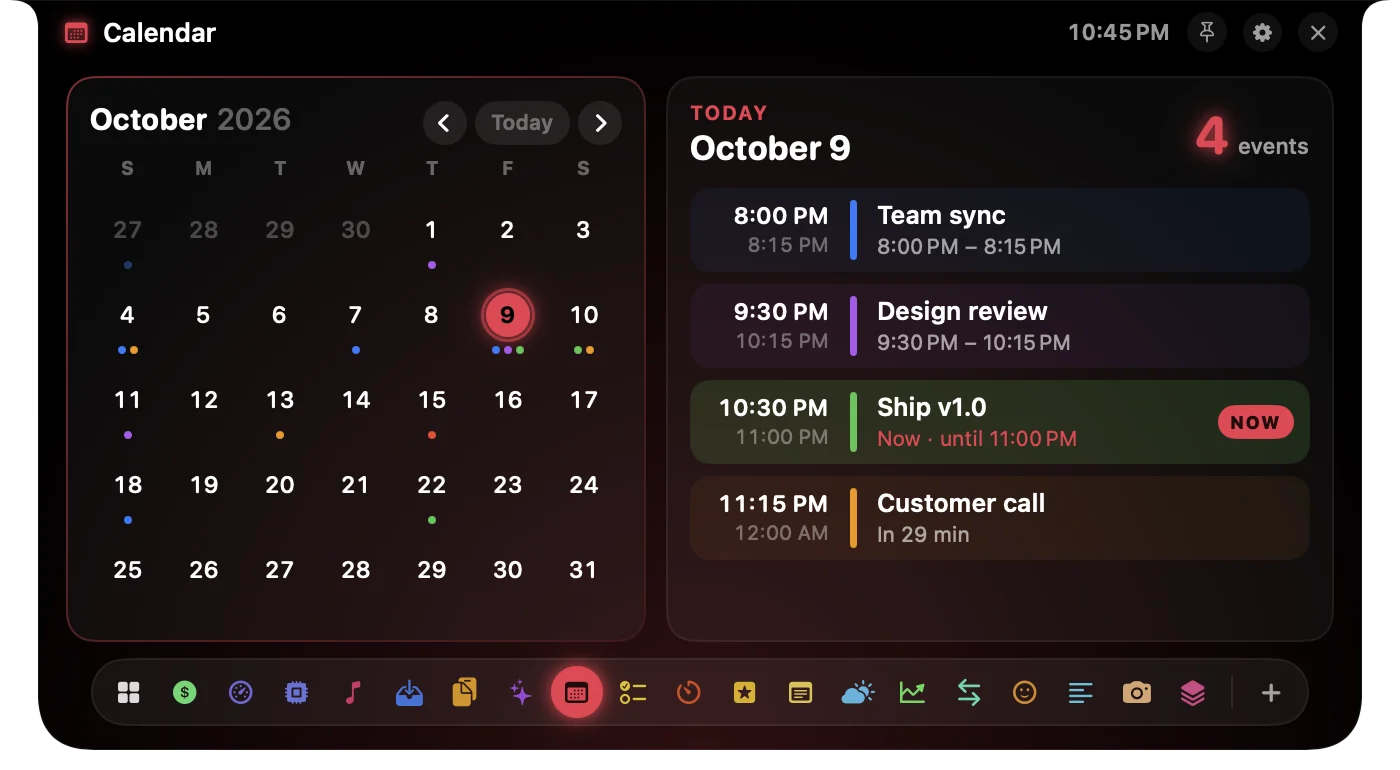
Your month and today’s events, one hover away.
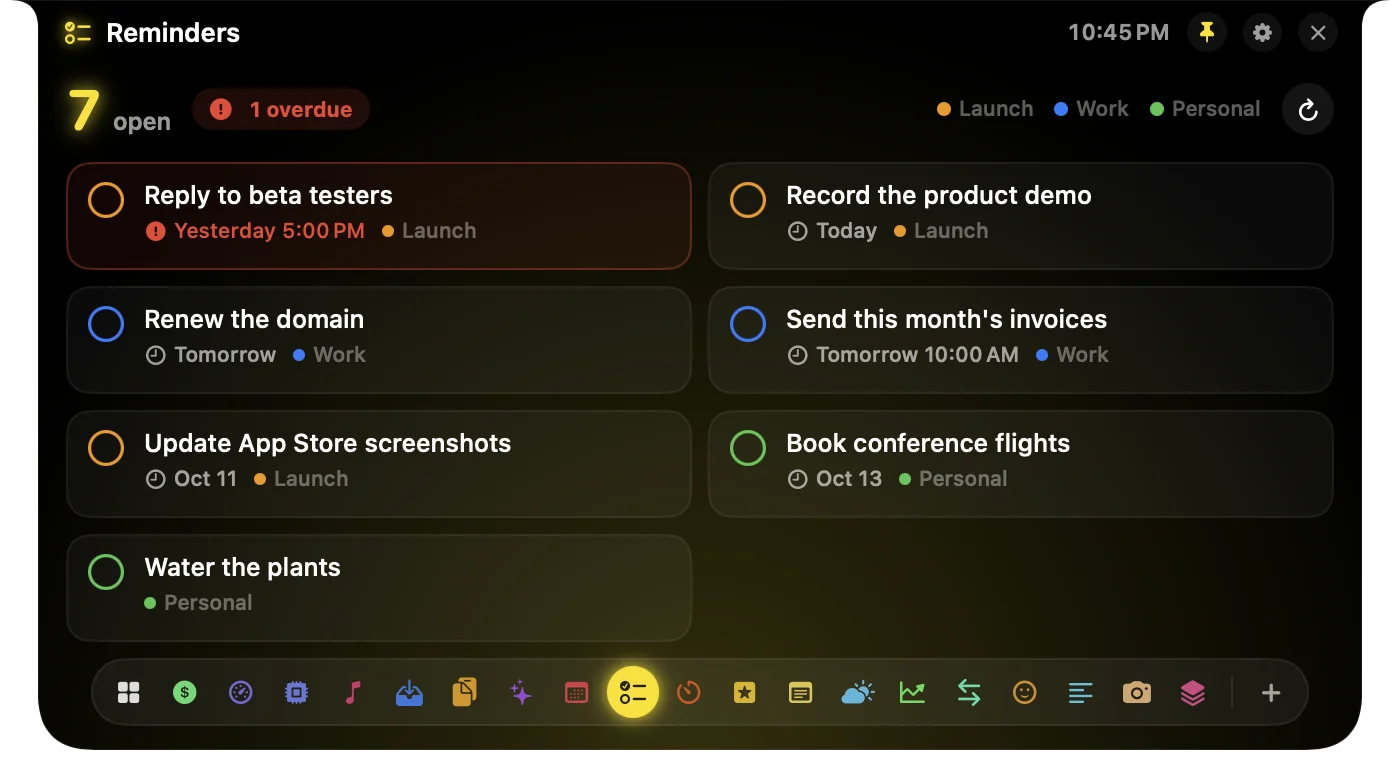
Check things off without opening another app.
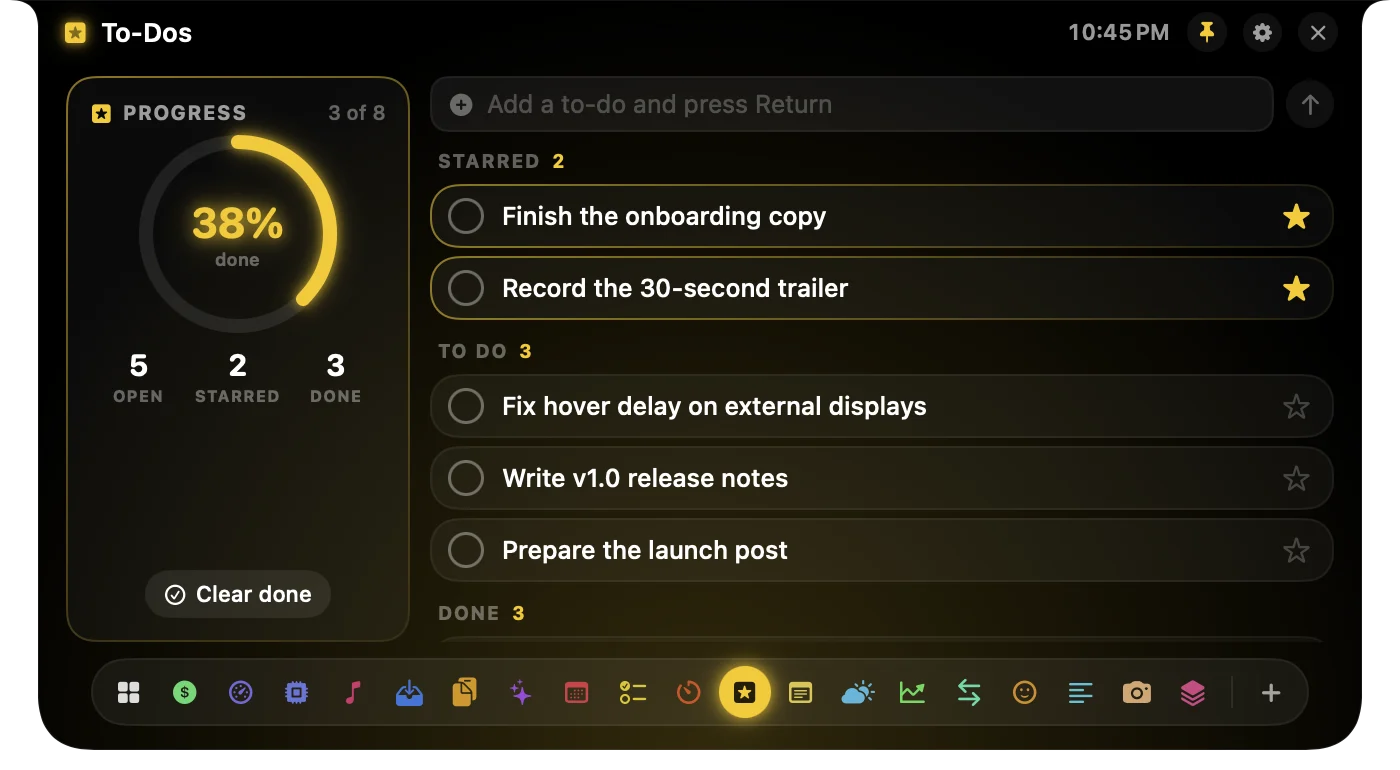
A light list for the next few hours. Star what matters.
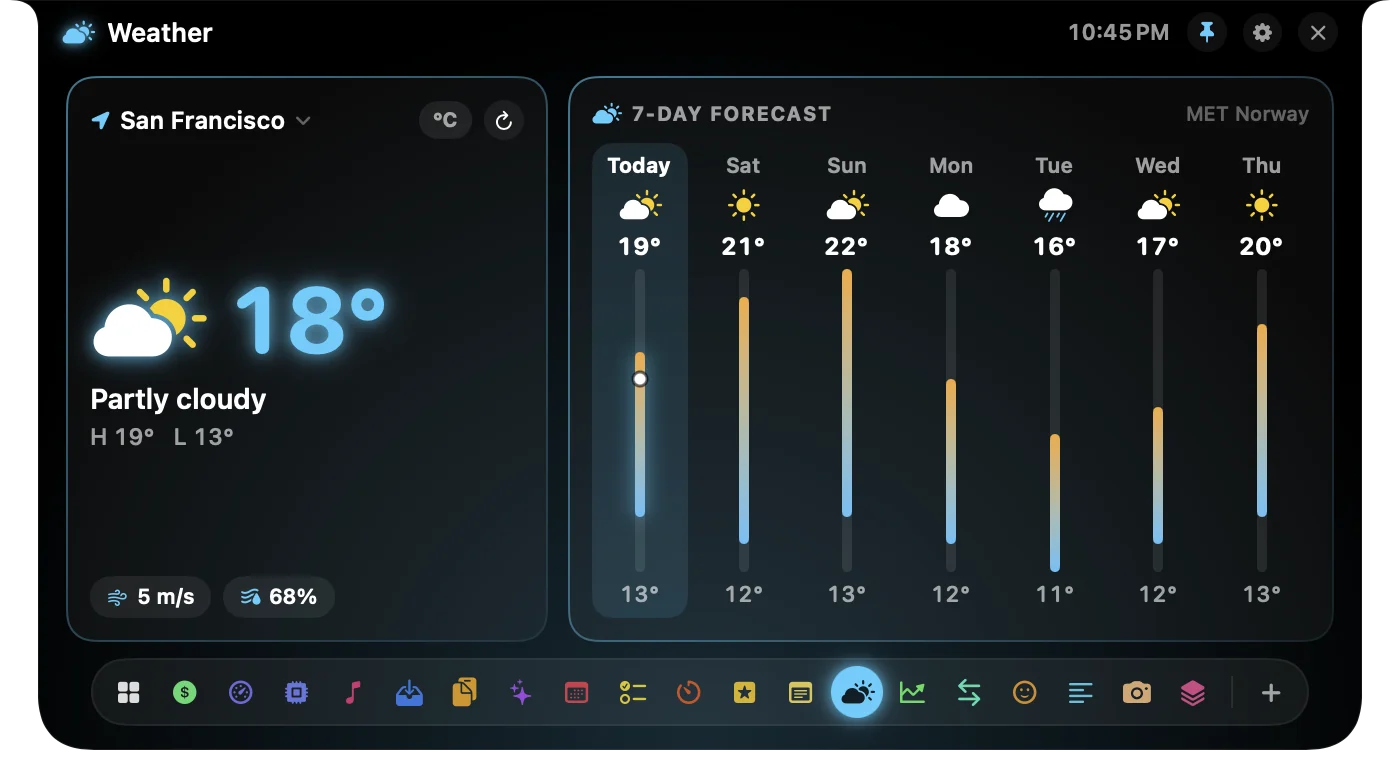
Right now, and the week ahead.
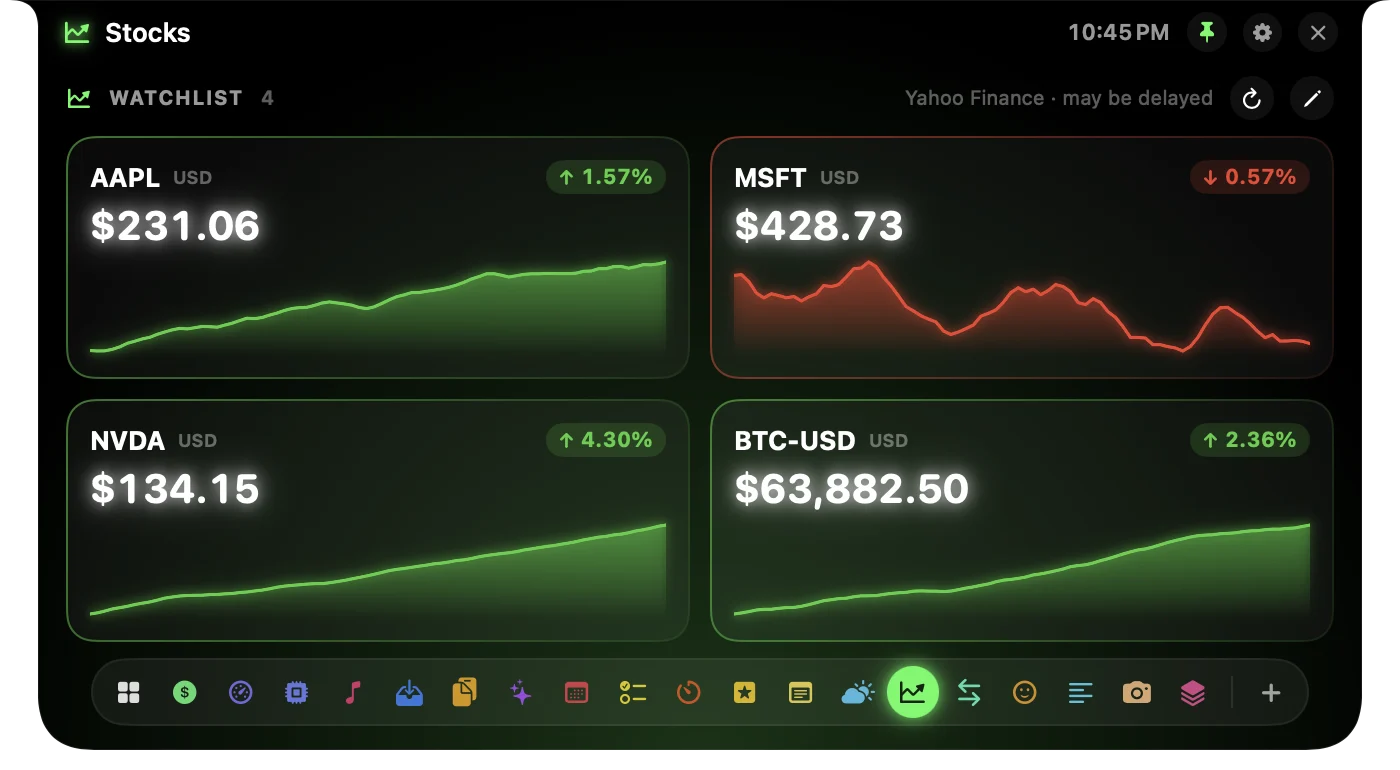
Your watchlist with intraday charts.
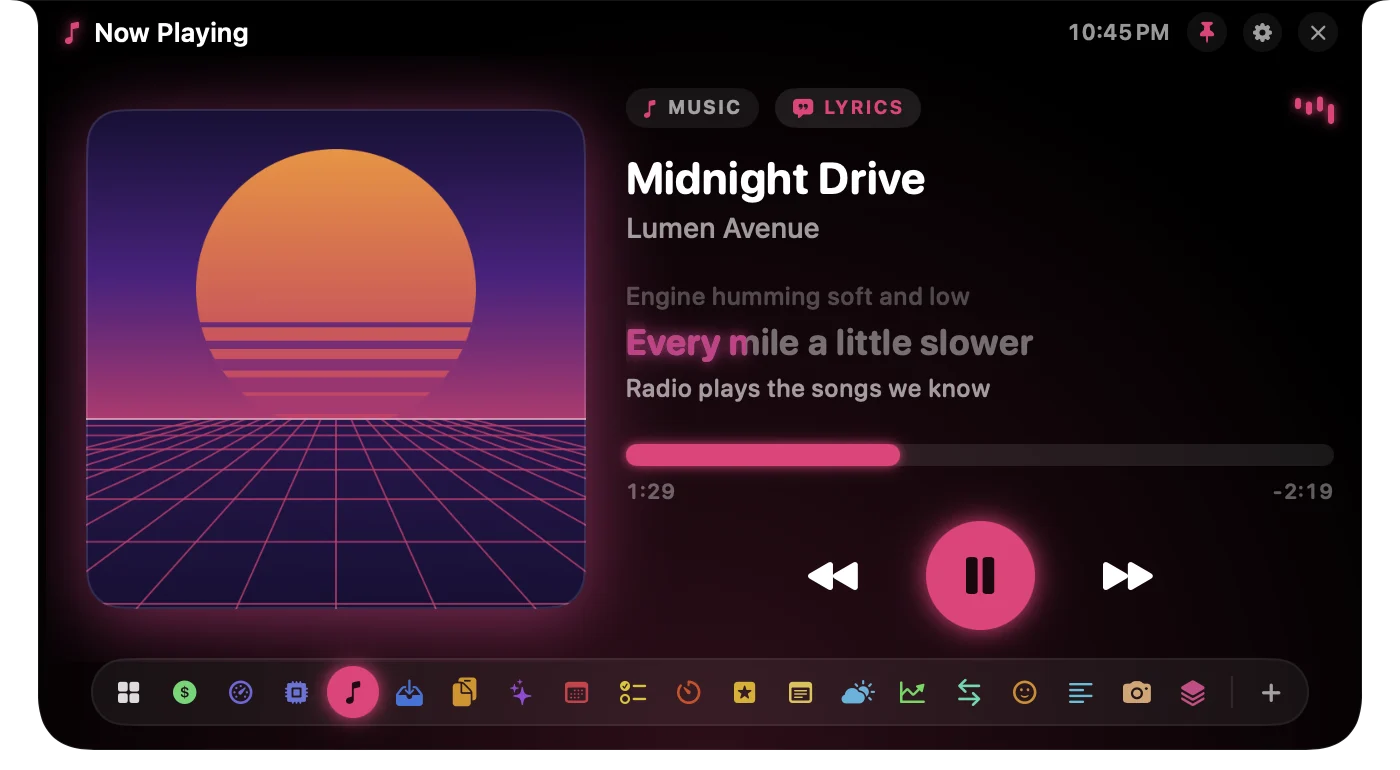
Artwork, progress and controls for what’s playing.
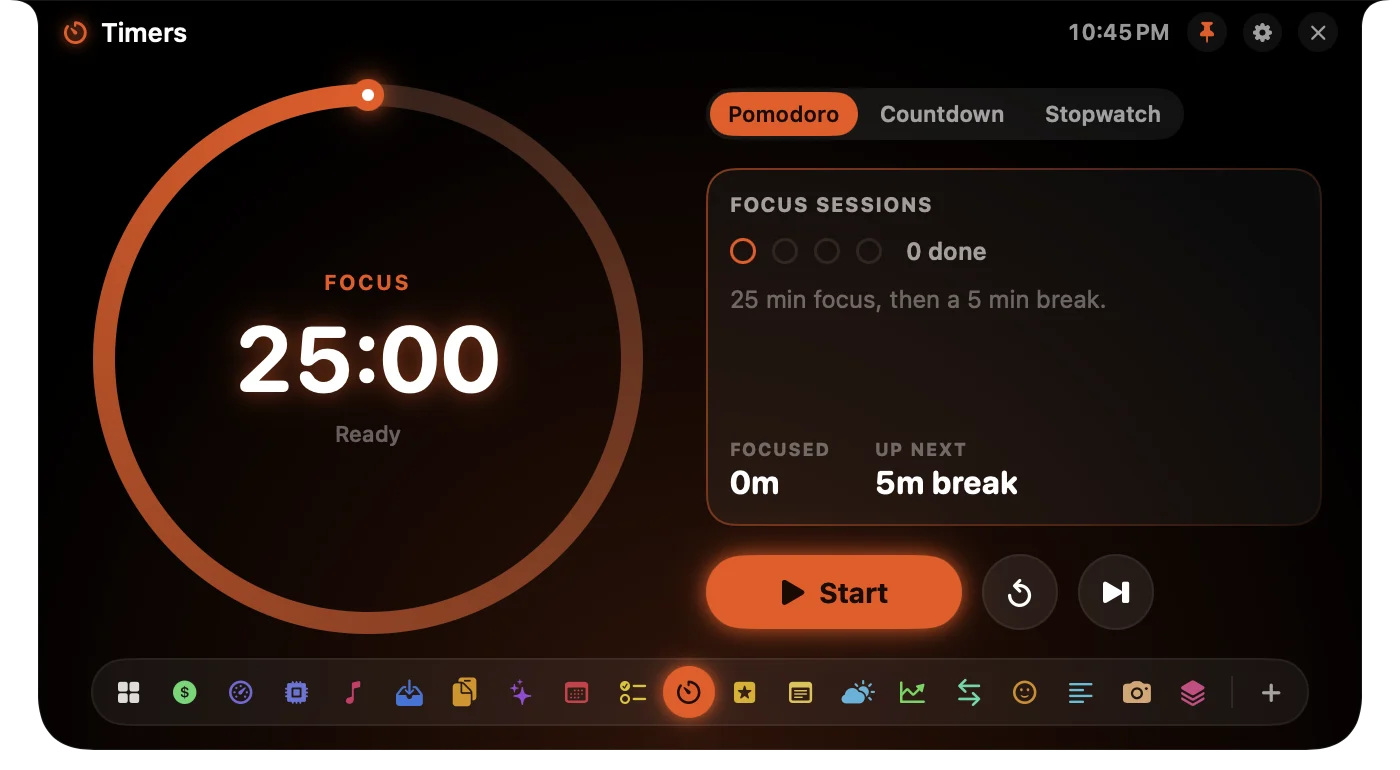
Focus sessions and quick countdowns.
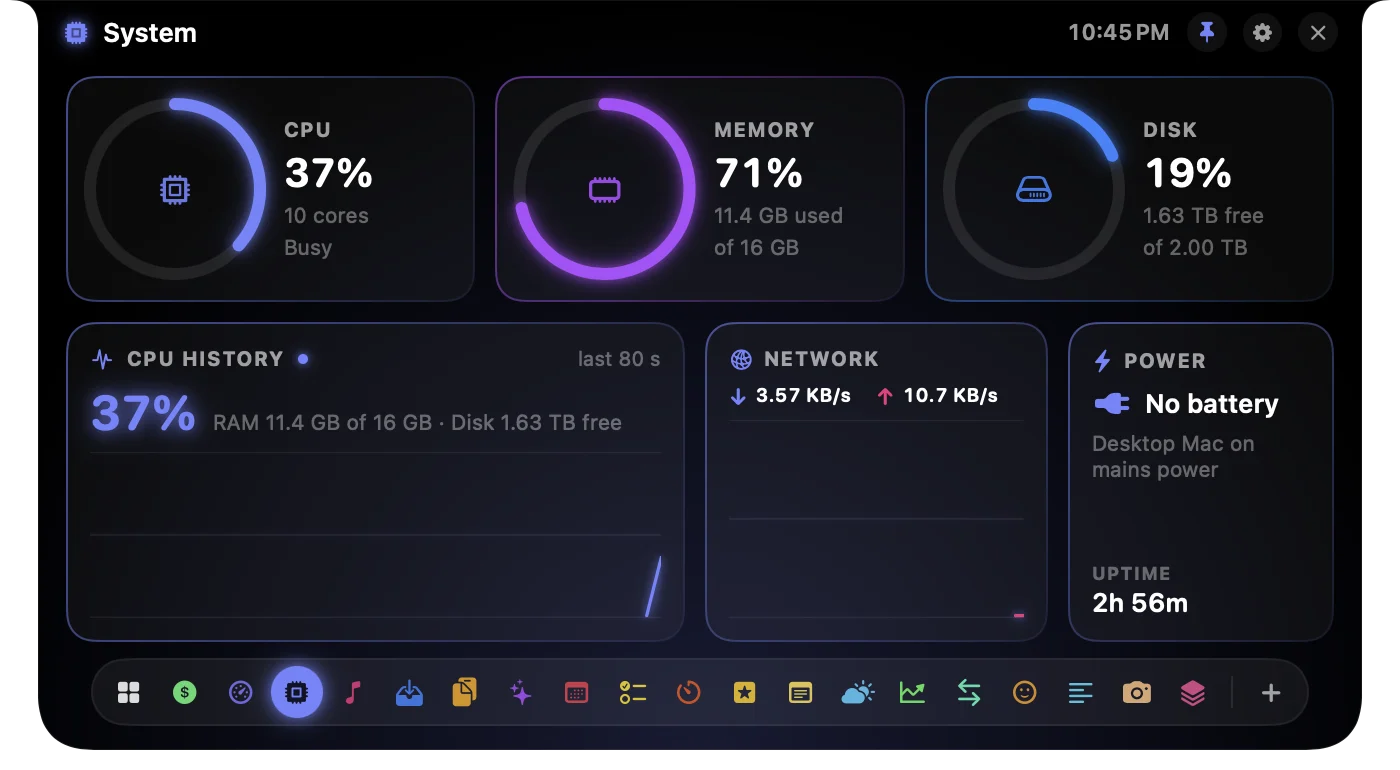
See what your Mac is busy with.
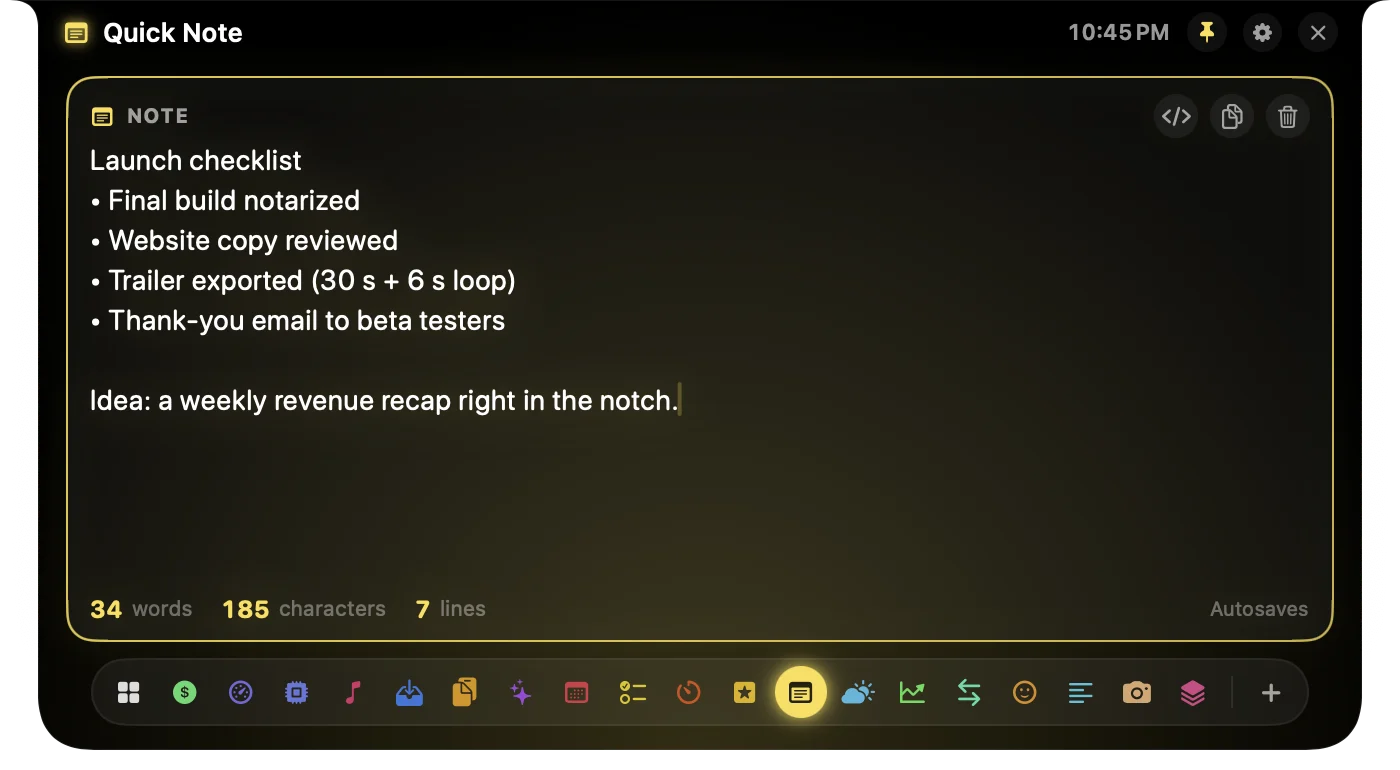
Jot it down without switching apps.
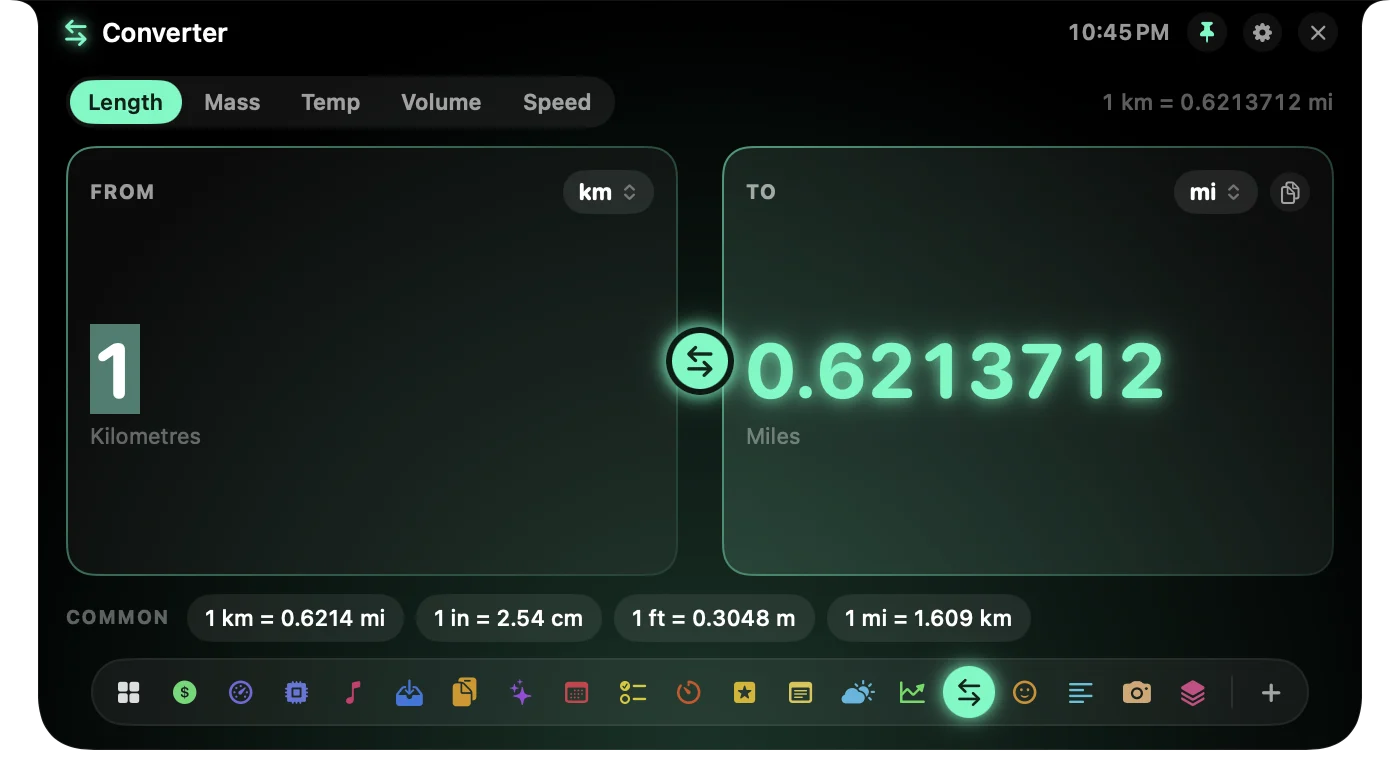
Units, converted as you type.
Three themes
Switch looks in Settings. Every tool keeps its own colour, so you always know where you are.
Built your way
Your tools, your order
Turn tools on or off and drag them into place. The dock follows.
Any Mac
A real notch on MacBooks, a floating one on Mac mini, iMac and external displays.
Hover, click or ⌃⌥⌘Space
Open it your way, with a hover delay you choose.
Private by design
No account, no tracking. Your calendar, clipboard and notes stay on your Mac.
Twenty tools
Six live cards: your day at a glance.
Today's sales from Stripe or Dodo.
Claude and Codex limits, tokens and resets.
CPU, memory, disk, network and battery.
Music and Spotify controls with artwork.
Park files in the notch, drop them anywhere.
Everything you copied, searchable.
Private, on-device answers with Apple Intelligence.
Today's events and what's next.
Your Reminders lists, ticked off in place.
Focus sessions and quick countdowns.
A light list for the next few hours.
Jot it down without switching apps.
Right now and the week ahead.
Your watchlist with intraday charts.
Length, mass, temperature, volume, speed.
Search and copy in one click.
Your script, right under the camera.
A quick camera check before the call.
Run your Shortcuts in one click.
In development · not in the first release
Hold ⌥⌘Space, or hold the notch, and ask in plain English. Jarvis answers from NotchStack’s own tools: your revenue, AI limits, calendar, reminders, timers and music. It can also speak up when something matters, like when your agent finishes.
Listening and understanding happen on your Mac. Only the sentence Jarvis reads aloud is sent to a voice service. “Jarvis” is a working name; details may change before release.
Compare
Built for people who ship: revenue, AI limits and agent alerts sit next to the everyday tools.
| Feature |  NotchStack NotchStack | OmniNotch | Alcove | Boring Notch |
|---|---|---|---|---|
| Price | €4.99 early bird, then €9.99 | $19.99 ($9.99 on sale) | $14.99 | Free, open source |
| Pricing model | One-time | One-time | One-time | Free |
| Macs per licence | 3 | 3 | 3 | — |
| Works without a notch | ✓ | ✓ | ✓ | — |
| AI usage limits | Claude, Codex | Claude, Codex, Cursor, Copilot, Grok | — | — |
| Live revenue | Stripe, Dodo | 7 providers | — | — |
| Coding agent alerts | Claude Code, Codex | — | — | — |
| Clipboard history | ✓ | ✓ | — | — |
| File shelf | ✓ | ✓ | — | ✓ |
| Music controls | ✓ | ✓ | ✓ | ✓ |
| Calendar | ✓ | ✓ | ✓ | ✓ |
| Themes | Minimal, Playful, Neon | — | Custom HUDs | Accent colours |
| Tools | 20 | 20 | — | — |
| Requires | macOS 14 | macOS 14 | macOS 15 | macOS 14 |
Checked on each app's own website on October 9, 2026. “—” means their site doesn't mention it, not that it's missing. Competitor prices are in USD as listed. Names and trademarks belong to their owners.
Early bird
€4.99 for the first 50 with codeat checkout
Yes. Download NotchStack and every tool works for 7 days, with no account and no card. After that, a licence keeps it running.
A one-time purchase, no subscription. The first 50 buyers pay €4.99 with code EARLYBIRD at checkout; after that it is €9.99. One licence works on up to 3 Macs.
Any Mac with macOS 14 Sonoma or later. On MacBooks it lives in the notch; on other Macs it draws a floating notch at the top of the screen.
Calendar, reminders, clipboard, notes and AI usage are read on your Mac and stay there. Weather and stock prices come from public sources. Stripe and Dodo keys are read-only and kept in your Keychain.
Hover the notch (you set the delay), click it, or press ⌃⌥⌘Space from anywhere.
Yes. In Settings you turn tools on or off and drag them into any order; the dock in the notch follows. Home is always there.
Claude Code and Codex. Claude Code limits come from its status line, through a small local bridge NotchStack adds when you allow it; token counts come from the session files both tools keep on your Mac. Nothing is sent anywhere.
Only for Ask, which answers on-device. Every other tool works without it.
After checkout, Dodo Payments emails you a licence key. Open NotchStack Settings → License, paste the key and click Activate.